Introduction to Intel NUC
NUC (A.K.A. Nuke) stands for Next Unit of Computing…
It is a small, powerful, and efficient computer that can be used for various purposes, including as a virtualization server.
There are many different types of NUCs out there, but when it comes to virtualization, which one is the best for a homelab?
Some people might say that there is no one-size-fits-all answer to this question and that the best NUC for virtualization will vary depending on your specific needs and requirements.
Let’s take a closer look at what makes the NUC so great for virtualization and see if it might be the right hardware choice for your homelab!
Interesting information for you in this guide:
- NUC Hypervisor Options
- NUC VM Server Use Cases
- Intel NUC Home Server
- Intel NUC Server Build
- Frequently Asked Questions
For more ways to use your NUC, please visit this guide on NUC uses and applications to learn how to get the most out of your mini-pc.
NUC Video Training: Setup VMware ESXi
Need more storage for your NUC? Check out this portable NAS.
NUC Hypervisor Options
A NUC hypervisor is a great way to set up a homelab.
It’s small, efficient, and easy to manage. You can use it to run all sorts of different virtual machines, making it a great way to test out new software or configurations. Plus, it’s a great way to learn more about how hypervisors work.
There are a few different NUC hypervisors out there. The most popular is probably VMware’s ESXi. But there are also options like Hyper-V, KVM, and Xen.
Each has its own advantages and disadvantages, so you’ll need to decide which one is right for you.
Hypervisor Software
KVM is a type 1 hypervisor that is used to manage virtual machines. It is open source and can run on a variety of platforms. It is a good choice for small businesses because it is easy to use and relatively cheap. However, KVM may not be as robust as some of the other options available. And it will require Linux admin skills to grow and support it.
Xen is another type 1 hypervisor that is used to manage virtual machines. It is also open source and can run on various platforms, including a NUC. Xen is considered to be more robust than KVM, but it is also more complex to use. Additionally, Xen can be expensive if you do decide to license it.
Hyper-V is another type 1 hypervisor that you may want to consider. Microsoft developed it and is only available for use on Windows platforms. Hyper-V is considered to be a reliable and robust option, but it is also expensive. Additionally, Hyper-V can be difficult to use for those who are not familiar with Windows products.
ESXi is a type 1 hypervisor that is used to manage virtual machines. It is developed by VMware and is only available for use on VMware platforms. ESXi is considered to be the most robust and reliable hypervisor option available. However, it is also the most expensive. Additionally, ESXi can be difficult to use for those who are not familiar with VMware products.
When choosing a NUC hypervisor, it is important to consider your homelab needs. If you are looking for a cheap and easy option, KVM may be the best choice. If you are looking for a more robust and reliable option, Xen or ESXi may be better choices.
My preference is Hyper-V because it can be installed via Windows 10/11 Pro which will run great on a NUC.
Another option that can run from Windows or Linux is VirtualBox. VirtualBox is a Type 2 hypervisor that is made by Oracle. It is free to use and has a wide variety of features. However, it may not be as robust as some of the other hypervisor options.
But, no matter which NUC hypervisor you choose, it is important to do your research and make sure that it is the best option for you.
There are a variety of different NUC hypervisors available, each with its own strengths and weaknesses. Choose the one that fits your needs and you will be able to create a great homelab.
Related guide: Hypervisors & Virtual Machines Software Alternatives…
Intel NUC Server Build
Intel’s NUC line of mini-PCs is a great option for those looking to build a homelab server for virtualization.
The small form factor makes them ideal for use in a home environment, and the fact that they come with pre-installed Intel vPro technology means that they are ready for virtualization out of the box.
When building a homelab server for virtualization, choosing a processor that can handle the task is important. Intel’s NUC line of mini-PCs comes with a range of processors, from the dual-core Celeron to the multi-core Core i7.
This gives you plenty of options to choose from depending on your needs and budget.
Another important factor to consider when building a home server is the amount of storage you will need. Intel’s NUC mini-PCs come with a range of storage options, from 128GB to 2TB. This gives you plenty of room to store your virtual machines and data.
When it comes to virtualization, Intel’s NUC mini-PCs are hard to beat. With a range of powerful processors and plenty of storage options, they are perfect for any home server build. So if you’re looking for a small form factor mini-PC that is ready for virtualization, the Intel NUC is the perfect option.
Best NUC for Virtualization (Intel CPU)

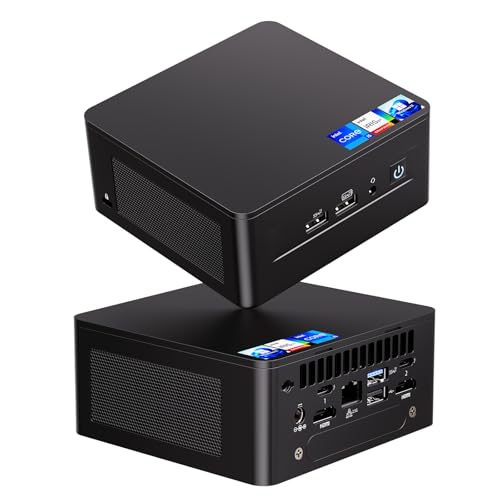
- 【13th Gen Intel Core i7-1360P CPU】Intel NUC 13 Pro Mini PCs, Kits, offer the perfect combination of size, performance, sustainability, and reliability to drive modern business. It all starts with 13th Gen Intel Core i7-1360P processor that deliver outsized performance in a 4x4 form factor. up to 12 cores (4P+8E), 16 threads,18MB Intel Smart Cache, P-Cores: Up to 5.00 GHz Turbo, E-Cores: Up to 3.70 GHz Turbo, Intel Iris Xe Graphics 96EU, 1.50 GHz, and up to 64GB dual-channel DDR4-3200 memory.
- 【Intel NUC 13 pro configured with 32GB DDR4 RAM & 1TB M.2 PCIe SSD,Win 11 Pro】The Mini computer loaded with 2*16GB SODIMM DDR4(3200MHz). Dual channel DDR4 upgradeable to max 64GB(2 * 32GB), And 1024GB M.2 22x80 PCIe x4 Gen4 NVMe SSD. M.2 22x42 key B slot for PCIe x1 Gen3, USB 3.2 Gen2 and SATA SSD expandability. Reduce latency, powerful loading and processing capabilities for a smoother experience. Preinstalled with Windows 11 pro.Just plug it in and go
- 【Thunderbolt, Wireless,Other Features & Tech.】2x Thunderbolt 4 ports (incl. DisplayPort 2.1 and USB4) via back panel type C connectors,Intel i226V 10/100/1000/2500 Mbps RJ45 Ethernet port, 2*front and 1*rear USB 3.2 Gen 2 type A ports 1*rear type A and 2*internal USB 2.0 headers, 2* HDMI 2.1 TMDS Compatible (4K@60Hz), with built-in CEC per port. 3.5mm front stereo headset jack, Up to 7.1 multichannel (or 8-channel) digital audio on HDMI and DP type C ports, Intel Wi-Fi 6E (Gig+),Bluetooth 5.3
- 【Business Driver, Space Saver】 The Intel NUC Pro Software Suite (NPSS) helps to ensure digital signage applications keep running during any unexpected system failures. Businesses also benefit from advanced features including power control, hardware alarm clock, hardware KVM, boot redirection, beyond firewall support, cloud-based manageability, remote PC remedy, and unattended system control. NUC 13 Upgradable, repairable, and reusable.To provide an eco-friendly foundation for businesses.
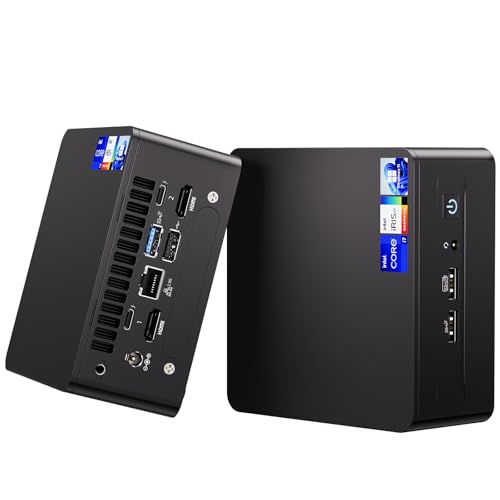
- 【Advancing Performance Hybrid Architecture】--Newest 13th Gen Intel Core i5-1340P 12 Cores CPU, Up to 4.6GHz. 13th Gen Intel Core processors advances performance hybrid architecture with up to 4 Performance-cores and up to 8 Efficient-cores, more powerful performance and smoother running. Easily handle browsing the internet, reading email, editing documents, home office, and more with ease, even for professional uses like photos editing, with a user experience close to a desktop computer.
- 【Small Outside, Powerful Inside】--Intel NUC 13 Pro mini pc, For ASUS NUC 13 Pro with high-speed 16GB DDR4, Built-in 512GB M.2 SSD. 16GB of RAM memory makes your entire system speedy and responsive. That way it can support tasks like memory-hogging multitab browsing and opening a huge graphic file quickly and easily. If you want even more storage, you can also add a 2.5" SSD (not included) to expand the memory for a wonderful secure data bank.
- 【Less Size, More Business Performance】--Intel NUC 13 Pro mini computers measures only 4.6 in * 4.4 in * 2.1 in, you can be easily placed in crowded workstations or small spaces. Because of the small size to put under you big screen TV for internet movies instead of just limited by the smart TV paid options. You can also mount a MINI PC behind a computer monitor using VESA, and turn your monitor into a pseudo "All-in-One" which is cool. Gives you a clean and uncluttered desktop environment.
- 【Clearer Picture】--Intel NUC 13 Pro mini computer comes with Intel Iris Xe Graphics. Supports 8K@60Hz, 4K@120Hz, 4K@60Hz four screen display(2*HDIM 2.1 + 2*Thunderbolt 4). Images come alive with new levels of realism, and colors are more vibrant. You can enjoy 8K Web surfing, video playback, watching TV, home theater, and enjoy the entertainment with your family. Dual HDMI Ports & Dual Thunderbolt 4 Ports easily connecting 4 monitors, efficiency doubled Work, Entertaining and Creation.
- 【Connectivity & Expandability】--Intel NUC 13 Pro small computer comes with Intel i226 Ethernet port for speeds up to 2.5Gbps, supports WiFi 6E with 2.4GHz, 5GHz, 6GHz three bandwidths & Bluetooth 5.3. It which could be connected with your mouse, acoustics or headset. It can work with server, monitoring equipment, office equipment, monitor, projector, TV and so on. Built-in fan cooling so you don't have to worry about multitasking overheating your product.
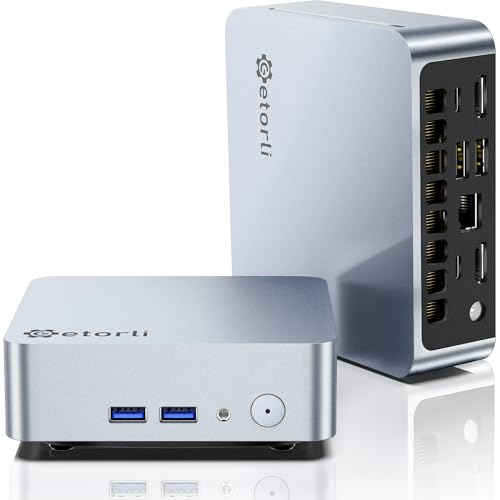
- 【Advancing Performance Hybrid Architecture】--13th Gen Intel Core i7-1360P Twelve-Core CPU, Up to 5.0GHz. 13th Gen Intel Core processors advances performance hybrid architecture with up to 4 Performance-cores and up to 8 Efficient-cores, more powerful performance and smoother running. Easily handle browsing the internet, reading email, editing documents, home office, and more with ease, even for professional uses like photos editing, with a user experience close to a desktop computer.
- 【Small Outside, Powerful Inside】--Intel NUC 13 Pro (for ASUS NUC 13 Pro) mini pc with high-speed 32GB DDR4, Built-in 1TB M.2 SSD. 32GB of RAM memory makes your entire system speedy and responsive. That way it can support tasks like memory-hogging multitab browsing and opening a huge graphic file quickly and easily. If you want even more storage, you can also add a 2.5" SSD (not included) to expand the memory for a wonderful secure data bank.
- 【Less Size, More Business Performance】--Intel NUC 13 Pro (for ASUS NUC 13 Pro) mini computers measures only 4.6 in * 4.4 in * 2.1 in, you can be easily placed in crowded workstations or small spaces. Because of the small size to put under you big screen TV for internet movies instead of just limited by the smart TV paid options. You can also mount a MINI PC behind a computer monitor using VESA, and turn your monitor into a pseudo "All-in-One" which is cool. Gives you a clean and uncluttered desktop environment.
- 【Clearer Picture】--Intel NUC 13 Pro (for ASUS NUC 13 Pro) mini computer comes with Intel Iris Xe Graphics. Supports 8K@60Hz, 4K@120Hz, 4K@60Hz four screen display(2*HDIM 2.1 + 2*Thunderbolt 4). Images come alive with new levels of realism, and colors are more vibrant. You can enjoy 8K Web surfing, video playback, watching TV, home theater, and enjoy the entertainment with your family. Dual HDMI Ports & Dual Thunderbolt 4 Ports easily connecting 4 monitors, efficiency doubled Work, Entertaining and Creation.
- 【Connectivity & Expandability】--Intel NUC 13 Pro (for ASUS NUC 13 Pro) small computer comes with Intel i226 Ethernet port for speeds up to 2.5Gbps, supports WiFi 6E with 2.4GHz, 5GHz, 6GHz three bandwidths & Bluetooth 5.3. It which could be connected with your mouse, acoustics or headset. It can work with server, monitoring equipment, office equipment, monitor, projector, TV and so on. Built-in fan cooling so you don't have to worry about multitasking overheating your product.

- 【𝗣𝗼𝘄𝗲𝗿𝗳𝘂𝗹 𝗛𝘆𝗯𝗿𝗶𝗱 𝗣𝗲𝗿𝗳𝗼𝗿𝗺𝗮𝗻𝗰𝗲 𝗶𝗻 𝗮 𝗖𝗼𝗺𝗽𝗮𝗰𝘁 𝟰𝘅𝟰 𝗙𝗼𝗿𝗺 𝗙𝗮𝗰𝘁𝗼𝗿】Powered by the 13th Gen Intel Core i7-13620H hybrid processor with a 10-core layout (4 Performance Cores + 6 Efficient Cores) and 16 threads, backed by 18MB Intel Smart Cache. Performance cores turbo up to 4.9GHz, while efficient cores hit a max 3.6GHz. Paired with integrated Intel UHD 64EU Graphics running at 1.50GHz, this mini PC delivers full desktop-level performance. It effortlessly handles daily office workflows, document editing, multi-tab browsing, photo retouching, 3D CAD modeling and video rendering — ideal for businesses, schools, home offices and creative professionals.
- 【𝗘𝘅𝗽𝗮𝗻𝗱𝗮𝗯𝗹𝗲 𝗠𝗲𝗺𝗼𝗿𝘆 & 𝗠𝘂𝗹𝘁𝗶-𝗧𝗶𝗲𝗿 𝗦𝘁𝗼𝗿𝗮𝗴𝗲 𝗨𝗽𝗴𝗿𝗮𝗱𝗲𝘀】Preloaded with 32GB dual-channel DDR4-3200 SODIMM RAM (2 × 16GB) and a 1TB M.2 PCIe 4.0 NVMe SSD, plus genuine pre-installed Windows OS Pro for plug-and-play operation. Memory is upgradeable up to 64GB (2 × 32GB). Two dedicated storage expansion slots offer flexible capacity boosts: an M.2 22×42 Key B slot compatible with PCIe/SATA SSDs, and an internal bay supporting a 2TB max 2.5-inch PCIe 4.0 or SATA SSD (sold separately). Cut load latency and build ample secure local storage for smoother daily operation.
- 【𝟴𝗞 & 𝗤𝘂𝗮𝗱 𝟰𝗞 𝗠𝘂𝗹𝘁𝗶-𝗗𝗶𝘀𝗽𝗹𝗮𝘆 𝗨𝗹𝘁𝗿𝗮 𝗛𝗗 𝗢𝘂𝘁𝗽𝘂𝘁】Equipped with dual HDMI 2.1 ports (4K@60Hz with built-in CEC) and dual Thunderbolt 4 ports carrying DP 2.1 signals, this unit supports up to four simultaneous 4K@60Hz extended monitors or a single standalone 8K display. The Iris Xe graphics chip delivers vivid, true-to-life color reproduction for home theater streaming, media playback and multi-screen office productivity. It also supports 7.1/8-channel surround digital audio output over HDMI and Type-C DP connections.
- 【𝗖𝗼𝗺𝗽𝗿𝗲𝗵𝗲𝗻𝘀𝗶𝘃𝗲 𝗜/𝗢 𝗣𝗼𝗿𝘁𝘀&𝗦𝘁𝗮𝗯𝗹𝗲 𝗪𝗶𝗿𝗲𝗱/𝗪𝗶𝗿𝗲𝗹𝗲𝘀𝘀 𝗖𝗼𝗻𝗻𝗲𝗰𝘁𝗶𝘃𝗶𝘁𝘆】Boasts full business-grade connectivity interfaces: Intel i226-V 2.5G Ethernet, independent TPM 2.0 security chip, 3 front/rear USB 3.2 Gen 2 Type-A, 1 extra rear USB-A, 2 internal USB 2.0 headers and a front 3.5mm audio jack. Integrated Wi-Fi 6E AX211 tri-band wireless and Bluetooth 5.3 deliver low latency, wide bandwidth and steady links for mice, speakers, monitors and projectors. A built-in cooling fan avoids thermal throttling under heavy multitasking.
- 【𝗖𝗼𝗺𝗽𝗮𝗰𝘁 𝗠𝗼𝗱𝘂𝗹𝗮𝗿 𝗕𝗼𝗱𝘆&𝗣𝗼𝘄𝗲𝗿𝗳𝘂𝗹 𝗘𝗻𝘁𝗲𝗿𝗽𝗿𝗶𝘀𝗲 𝗠𝗮𝗻𝗮𝗴𝗲𝗺𝗲𝗻𝘁】Only 4.6 × 4.4 × 2.1 inches in size, this 4×4 mini PC fits small desks or behind TVs. The free VESA bracket attaches it to monitors for a tidy all-in-one setup to save desktop room. Powered by Intel NUC Pro Software Suite (NPSS), it supports hardware KVM, remote control, cloud fleet management, unattended operation and digital signage protection. Fully upgradeable and repairable, it serves as an eco-friendly long-term commercial solution.

- GMKtec M2 Pro S mini computer is equipped with 11th generation Intel Core i7-1185G7 processor, main frequency up to 4.8 GHz, 4 cores, 8 threads, 12MB cache, running much faster than i7-10810U, i5-12450H and i5-8259U, Windows PC series The power is only 35W, supporting your daily work with less power consumption, without delaying daily tasks
- 16GB DDR4 and 1TB NVME SSD: Desktop computer Comes with 16GB SODIMM, dual-channel DDR4 supports expansion up to 64GB. 1TB SSD M.2 2280 NVMe (PCIe3.0), supports expansion to 2TB, in addition, M.2 2242 SATA can be expanded to 2TB
- 4K UHD & 3 Screens Support: Mini PC with Intel Iris Xe Graphics G7 96EU GPU delivers high-quality graphics for the most demanding applications, 2 x HDMI (4K @ 60Hz) and 1 x USB Type-C (4K @ 60Hz) output terminals, allowing you to independently display 4K screens on 3 displays at the same time
- 2.5Gbps LAN & WiFi6 + BT5.2: GMKtec mini PC dual band WiFi 2.4G+5G networking and Giga (RJ45 speed up to 2500M), Loading web, video, or other networked operations is faster and more stable, Bluetooth 5.2 connect faster Speed, Farther Coverage, it is also a big feature that you can transfer files over LAN at high speed
- Package Included: 1x GMKtec Nucbox M2 Pro, 1x DC Power Plug, 1x HDMI Cable. 1 x VESA Mount with Screws, 1x User Manual
Mini PC with AMD CPU (NUC Alternatives)
If you’re looking for a NUC alternative with an AMD CPU, there are a few options available.
- 【Great power in a small computer】Get fast performance from the AMD Ryzen 5 3500U CPU (2.1GHz-3.7GHz, 4 Cores 8 Threads) inside this mini pc, TDP 15W up to 25W. It's perfect for all your home office and business use, like daily computing, web browsing, and smooth media streaming. This small desktop computer handles everyday tasks easily and quietly.
- 【Work on many things at once with lots of storage】This mini PC comes with 16GB of fast DDR4 RAM (expandable up to 32GB), allowing you to smoothly run multiple programs, dozens of browser tabs, and large files all at once. It also features a spacious 512GB NVMe SSD that provides ample storage and delivers dramatically faster boot-ups, app launches, and file transfers compared to a traditional hard drive.
- 【See everything clearly on one or two 4K screens】Connect one or two monitors for more space to work or play. Dual HDMI ports on this mini pc support super sharp 4K Ultra HD video. It's great for doubling your work area for business or watching movies in high definition.
- 【Fast modern connections in a tiny box】Enjoy a better and more stable internet connection with the latest WiFi 6. Use Bluetooth 5.3 to connect wireless headphones, keyboards, and mice without wires. This small pc is very compact to save desk space and has extra USB ports (USB 2.0×2, USB 3.0×2, Type-c 2.0×1, Type-c 3.2 full featured×1, HDMI×2) for your printer, webcam, or other computer accessories.
- 【Reliable Warranty and Support】We provides 1 year warranty for each Mini computers. So you don't need to worry about any product problems. If you have any questions about the product, please contact our customer service, we will provide 24-hour professional technical support and serve you at any time.
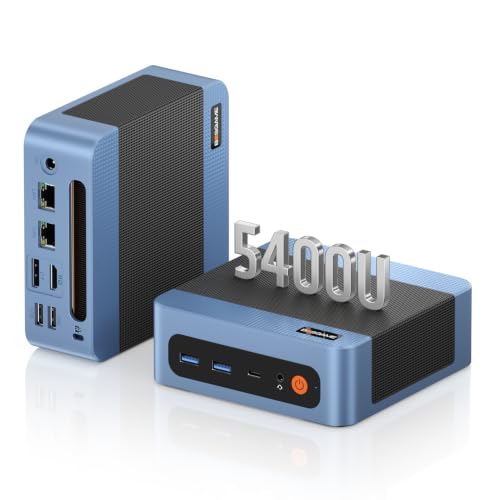
- 【AMD Ryzen 5400U 4-Core Performance】Powered by the AMD Ryzen 3 5400U processor with 4 cores, 8 threads, a 2.6GHz base clock and up to 4.0GHz boost clock, the BOSGAME E5 Plus Mini PC delivers responsive performance for everyday computing, office applications, web browsing, video conferencing and multitasking. Integrated AMD Radeon Graphics up to 1600MHz provides smooth visuals for daily work and entertainment.
- 【Expandable Up to 64GB RAM + Flexible Dual M.2 Storage】Start with 8GB DDR4 memory for everyday computing and expand the E5 Plus Mini Computers up to 64GB through two SODIMM slots as your multitasking needs grow. The included 256GB M.2 2280 SATA SSD provides fast storage for daily applications, while an additional M.2 2280 NVMe PCIe 3.0 x4 slot lets you easily add more high-speed storage for documents, media, software and larger workloads. Flexible memory and storage expansion make this compact PC easy to upgrade for future needs.
- 【Dual 2.5GbE LAN, Wi-Fi 5 and Bluetooth 5.0】Two 2.5 Gigabit Ethernet ports powered by RTL8125 controllers provide the E5 Plus Mini PC Ryzen with fast and stable wired networking for office networks, file transfers and dual-LAN applications. Wi-Fi 5 supports 802.11 a/b/g/n/ac wireless connectivity, while Bluetooth 5.0 makes it easy to connect keyboards, mice, headphones and other wireless accessories.
- 【Triple 4K@60Hz Display Outputs】Expand your workspace across multiple screens with HDMI 2.0, DisplayPort and USB Type-C video outputs, each supporting resolutions up to 4K@60Hz. With flexible triple-display connectivity, the E5 Plus Mini PC is ideal for spreadsheets, browser windows, dashboards, video playback and multi-monitor productivity in home offices and business environments.
- 【Full-Function USB-C and Versatile Connectivity】The full-function USB Type-C port supports data transfer, DisplayPort video output and PD 3.0 functionality. The E5 Plus Ryzen Mini PC also features two front USB 3.2 Gen 2 Type-A ports delivering transfer speeds up to 10Gbps, while two additional USB 2.0 ports and a 3.5mm combo audio jack provide convenient connectivity for everyday peripherals. Supports Windows 11 and Ubuntu for flexible home, office and business deployment.

- VALUE & PERFORMANCE MINI PC - GMKtec Nucbox M6 Ultra Series is equipped with the powerful AMD Ryzen 5 7640HS processor. This CPU is an upper mid-range processor (APU) of the Phoenix product family. It has 6 SMT-enabled Zen 4 cores (12 threads) running at 4.3 GHz base speed to turbo boost 5.0 GHz.With a TDP Boost of 45W-60W, the Ryzen 7640HS CPU is more energy efficient and delivers a 30% Performance increase over previous AMD Ryzen 7 6800H, 6600U.
- 32GB DDR5 RAM & 1TB PCIe SSD - Installed with DDR5 32GB RAM SO-DIMM Dual Channel (2x16GB), the Nucbox M6 Ultra mini pc support expansion to 128GB RAM. Featured with 1TB M.2 2280 PCIe 3.0 SSD, support dual slot expansion to PCIe 4.0 8TB SSD. (Upgrades not included)
- GAMING PC - The Radeon 760M iGPU has 8 CUs (512 shaders) running at up to 2,600 MHz. This desktop computer can play moderate gaming at a steady FPS, it also HW-encodes and HW-decodes the most widely used video codecs such as AV1, HEVC and AVC.
- DUAL NIC LAN 2.5G RJ45 - Fast Network Speeds: Enjoy up to 2500Mbps data transmission speed without worrying about lagging. Ideal for working, gaming, and surfing the internet. Great for Untangle, Pfsense or as a server office PC.
- TRIPLE 4K DISPLAY - Unlock unparalleled productivity with support for three simultaneous displays, including a stunning 8K@60Hz via USB4, plus 4K@60Hz through both HDMI 2.0 and DisplayPort, transforming your workspace into a command center for multitasking and immersive entertainment.

- Office Gaming Mini PC - UPGRADED GMKtec Nucbox M5 Ultra Series is equipped with the powerful AMD Ryzen 7 7730U processor, 8 Cores/16 Threads, Base 2.00GHz (Power Saving Quiet Mode) with Turbo Boost up to 4.50GHz (Performance Mode) in BIOS settings, Based on the ZEN 3+ architecture, this small but powerful mini pc delivers satisfying results in productivity, office work, and gaming. 35% Performance increase over AMD Ryzen 5 7430U/ Ryzen 7 5700U, 5600U, 5560U, 5500U.
- 16GB DDR4 RAM & 512GB PCIe SSD - Installed with DDR4 16GB RAM Dual Channel (2x8GB), the Nucbox M5 Ultra mini pc support expansion to 64GB RAM. Featured with 512GB M.2 2280 PCIe 3.0 SSD, support dual slot expansion each can be up to 8TB SSD. (Upgrades not included)
- DUAL NIC LAN 2.5G RJ45 - Fast Network Speeds: Enjoy up to 2500Mbps data transmission speed without worrying about lagging. Ideal for working, gaming, and surfing the internet. Great for Untangle, Pfsense or as a server office PC.
- Mini Desktop Computer with 4K Triple Screen Display - Nucbox M5 Ultra integrates AMD Radeon Graphics 8 Cores 2000 MHz GPU to deliver powerful graphics processing power to easily handle the demands of complex design software, 4K@60Hz UHD video editing, and playback. It can connect to 3 display screens simultaneously.
- Fast Internet WiFi 6E + BT5.2 Connection - GMKtec Mini PC with WiFi-6E Wireless, have 2.5G/5G/6G triple band, more faster and lower latency. Bluetooth 5.2 allowing you more quickly to connect other wireless devices (headset, mouse, keyboard, etc.) Interface features 2*USB3.2 ports, 2*USB2.0 ports, 1*HDMI 2.0 port(4K@60Hz), 1*USB-C port(PD/DP/DATA), 1*DP Port, 1*Audio 3.5mm (HP&MIC), 1*DC Power Port.

NUC VM Server (Cont.)
A NUC VM server is a great way to get started with virtualization. It’s simple to set up and use, and it’s a powerful platform that can handle a wide range of tasks.
NUC VM servers are perfect for small businesses and home users who need a reliable, affordable virtualization platform. They’re also great for testing and development, and they can be used to create powerful cloud-based solutions.
If you’re looking for a great way to get started with virtualization, a nuke VM server is a perfect solution.
Intel NUC Server for Business
Intel’s NUC can be used as a powerful and compact server that is perfect for virtualization.
They can be configured with a multiple-core i7 processor and 32GB of RAM, making them perfect for small businesses or home offices.
It also has built-in Wi-Fi and Bluetooth, making it easy to connect to your network and devices.
Intel NUC Home Server
Intel’s NUC is a great option for anyone looking for a virtualization-friendly home server.
For either use case, the NUC comes with a range of features that make it perfect for use in a virtualized environment, including support for Intel VT-x and VT-d. It also has a low power consumption, making it an ideal choice for home or small office users.
If you’re looking for a powerful and versatile NUC that can be used in a virtualized environment, the Intel NUC home server is a great option to consider.
Related guide: Best Server Hardware for Virtualization…
Frequently Asked Questions:
Is Intel NUC powerful?
Intel NUC is a powerful mini-PC that can be used for a variety of different purposes. It’s great for home entertainment, gaming, and even office work. But is it powerful enough to be used as a virtualization platform?
Yes, Intel NUC can be used as a virtualization platform. In fact, it’s one of the best mini-PCs on the market for this purpose. It has a powerful processor and plenty of RAM, which makes it perfect for running virtual machines.
If you’re looking for a mini-PC that can be used for virtualization, Intel NUC is a great option. It’s fast, reliable, and has enough power to handle even the most demanding tasks. So if you’re in need of a virtualization platform, don’t hesitate to give Intel NUC a try.
How long will Intel NUC last?
Intel has been producing NUCs since 2012 and they have been consistently praised for their performance and value.
So how long will Intel NUC last? Given Intel’s track record, we can expect NUCs to be around for many years to come.
In fact, the latest Intel NUCs are even more powerful than their predecessors, so you can be sure that they will handle all of your virtualization needs.
If you are looking for a small, fast and affordable computer for virtualization, Intel’s NUC is a perfect choice. With its wide variety of uses and powerful hardware, NUC is sure to meet your needs.
Can I run ESXi on a NUC?
Yes, you can run ESXi on a NUC.
You’ll need to make sure that your nuc meets the system requirements for ESXi, and then you’ll need to install the VMware vSphere Hypervisor.
A NUC is a great option for running ESXi because it’s small and compact, and it doesn’t require a lot of power. It’s also a good option for homes or small businesses that don’t have a lot of space or money to invest in a full-sized server.
If you’re looking for a NUC that is specifically designed for virtualization, the Intel NUC server is a great option. It comes with an Intel Xeon processor and 8GB of RAM, and it has plenty of storage space for housing your virtual machines.
Does Intel NUC support virtualization?
Intel NUC kits come with hardware-assisted virtualization (HAV) and support for Intel Virtualization Technology (Intel VT) for hardware-based virtualization.
This makes it possible to run multiple operating systems on a single computer.
With Intel VT, you can create and run virtual machines that are completely isolated from the host system. You can also run multiple instances of an operating system on a single computer. This can be useful for testing new software or for consolidating multiple servers onto a single system.
Intel NUC kits do not support AMD-V, AMD’s virtualization technology. If you are running virtual machines that use AMD-V, you will need to use a computer that has an AMD processor.
Related guide: Enabling Virtualization in the BIOS
Is Intel NUC good for servers?
The Intel NUC is a great option for a server, especially in a virtualized environment. Its small size and low power requirements make it an ideal choice for use in a home lab or small office.
The NUC can also be easily overclocked to boost performance, making it a great choice for heavier workloads.
While the NUC may not be the best option for a large enterprise environment, it is perfect for small businesses or home users who need a reliable and affordable server. With its low price and great performance, the Intel NUC is an excellent choice for anyone looking to set up a home lab or virtual server.
Can Intel NUC be a server?
Intel NUC is a powerful and compact device that can be used as a server. It has a range of features that make it an ideal choice for this purpose, including:
- A powerful processor that can handle multiple tasks simultaneously
- Plenty of storage space for data and applications
- A range of ports that allow it to connect to other devices
- Reliable performance that won’t let you down
If you’re looking for a versatile and powerful server that won’t take up a lot of space, the Intel NUC is a great choice. It’s perfect for use in a home lab or small business and can handle all of your virtualization needs.
What is a NUC server?
A NUC server is a small, efficient, and low-power server that is designed for use in a virtualization environment. It is a great option for small businesses or home offices that want to reduce their energy consumption and save on hardware costs.
The Intel NUC server is a popular choice for this type of application because it is compact, quiet, and relatively affordable.
How to build a NUC server?
Building a NUC server is a relatively easy process. You will need to purchase a compatible motherboard and processor, as well as some other components such as memory and storage.
The motherboard and processor should be specific to the Intel NUC platform.
Once you have assembled all of the components, you will need to install the operating system and set up the virtualization software.
Related guide: Building a Homelab Server…
Why choose a NUC server?
There are several reasons why you might want to consider using a NUC server for your virtualization needs.
First, they are very small and compact, making them ideal for use in a cramped space.
Second, they are very energy efficient and use a fraction of the power of a traditional server.
Third, they are relatively affordable, so they can be a cost-effective option for small businesses or home offices.
Finally, they are quiet and generate little heat, making them ideal for office or home.
How do I connect my NUC?
There are a few ways to connect your NUC.
The most common way is to use an HDMI cable to connect the NUC to a monitor.
If you want to use the NUC as a server, you can install a server OS like Windows Server or Linux.
You can also use a wireless adapter to connect the NUC to a network. For more information, see the following Intel NUC documentation page to learn about:
- Connecting a NUC to a Monitor
- Connecting a NUC to a Network
- Configuring a Wireless Connection on a NUC
- Configuring a Wired Connection on a NUC
Does NUC have Bluetooth?
Newer generation NUCs have Bluetooth (BT).
Does Intel NUC have a fan?
Yes, Intel NUC does have a fan. In fact, all Intel NUCs come with a fan.
The fan is necessary to keep the system cool and running properly.
Without a fan, the system could overheat and cause permanent damage.
Some people worry that the fan will be too loud and bothersome, however, the fan on Intel NUCs is actually very quiet.
You may not even notice it is running. So, don’t let the fan scare you away from using an Intel NUC as your virtualization server. It’s a great option!
Are NUCs loud?
NUCs are not as loud as traditional servers, but they are not completely silent.
Does Intel NUC overheat?
Intel NUC has been known to overheat when used in a virtualized environment. In order to prevent this, you can take a few steps to ensure that your Intel NUC doesn’t overheat.
One way to keep your Intel NUC cool is to make sure that you have enough airflow.
You can do this by making sure that your Intel NUC is in a well-ventilated area and by using a fan to blow air onto the NUC.
Another way to keep your Intel NUC from overheating is to make sure that you don’t overload it.
If you need to put more virtual machines on your Intel NUC, you can use a different type of NUC.
If you’re looking for a NUC that is specifically designed for virtualization, the Intel NUC server is a good option.
The Intel NUC server is a small and lightweight nuke that doesn’t require a lot of power or cooling. It also comes with built-in hardware acceleration for virtual machines.
Overall, the Intel NUC server is a good option for virtualization, but it can overheat if it’s overloaded.
Another related guide: The Best Computer for a Virtualization Homelab…
Can you use Oracle VirtualBox on a NUC?
Oracle VirtualBox is a powerful x86 and AMD64/Intel64 Type 2 hypervisor that is perfect for homelab use and it allows you to run multiple operating systems on a single physical computer.
VirtualBox also has a feature called “snapshots” which allows you to take a snapshot of a virtual machine while it is running and revert to that snapshot later.
This can be very useful if you make changes to a virtual machine that you don’t like and want to go back to the way it was before.
One of the biggest benefits of using the Oracle VirtualBox on a NUC is its flexibility.
But that’s not all. It’s also very user-friendly, making it easy for even beginners to get up and running quickly. And it also offers a wide range of features and functionality, which can be customized to meet your specific needs.
Best of all, if you run into any VM problems, VirtualBox comes with excellent support from the developers.
So, is the Oracle VM VirtualBox the best software for virtualization?
It certainly has a lot to offer, and it’s definitely worth considering if you’re looking for a powerful and flexible option. However, it’s important to keep in mind that everyone is different, and you may need something that the Oracle VM VirtualBox doesn’t offer.
Be sure to do your research and compare different virtual machine software before making a decision.
Conclusion
The Intel NUC is a great platform for virtualization. Its small form factor makes it perfect for homelabs and its performance is suitable for most use cases.
If you’re looking to build a powerful home lab on a budget, the Intel NUC should be at the top of your list.
Thanks for reading! I hope this guide has helped you in your quest to find the best NUC for virtualization.
Please feel free to share comments and questions below. Happy homelabbing!
VMinstall.com is a participant in the Amazon Services LLC Associates Program, an affiliate advertising program designed to provide a means for sites to earn advertising fees by advertising and linking to Amazon.com, Amazon.co.uk, Amazon.ca, and other Amazon stores worldwide. *Best Sellers last updated on 2026-10-23 at 02:26.

