
Blades Are Sexy!
Are you trying to decide whether to use blade and chassis instead of rack mounted servers for virtualization? Here are the Pros and Cons of Blades vs Rack Servers…
Pros of Blade and Chassis for VMware vSphere
- First of all Blade and Chassis are Cool, especially UCS! (now that we have that out-of-the-way let’s move on).
- Uses fewer network ports (2 or 4 per chassis depending on storage type)
- Uses less power.
- Uses less cabling.
- Creates less heat.
- Uses less rack space (Approx. 10U for 16 blades).
- Uses less rack space and square footage for higher density DC.
- Centralized server management.
Cons of Blade and Chassis
- Cool is more expensive. (1 Chassis, 16 blades, and networking Approx. $300K)
- Higher density means a larger failure domain (Approx. 350 Virtual Machiness in 1 fully populated chassis would require 2 (3 would be better) more fully populated chassis running at 35 – 70% utilized. Remember when you maintenance these chassis, the VMs need to be vMotioned somewhere or powered off.
- Huge hassle when doing firmware upgrades of chassis, blades, and other chassis components.
- Networking and storage configuration can get tricky requiring training staff.
Pros of Rack Mounted Servers for vSphere
- Per server is cheaper (2 sockets, 24 core, 192 GB memory – Approx. $16K).
- If something fails, a smaller failure domain is easier to evacuate 1 host server (25- 30 VMs).
- Nothing new for DC staff to learn (easy setup).
- Easy firmware and driver upgrades.
Cons for Rack Mounted Servers
- Uses more network ports.
- Uses more power.
- Requires more cabling (copper/fiber).
- Causes more heat (high cooling bill).
- Uses more rack space (2 – 4U per server).
- Lower density per square foot of DC.
- Individually managed servers (more IPs).
Blades vs Rack Server Conclusion:
First, let me apologize to all my friends at Dell and HP, but I need to be honest here. There’s obviously a sales benefit to blade and chassis over rack mounted servers and that’s why many sales reps will push them.
If blade and chassis are already an established hardware standard then it’s a no-brainer to stick with the standard, however, if you are being sold blade and chassis right out of the gate and your IT operation is smaller than 1000 VM servers consider that HA will require spanning blade servers across 2 – 4 chassis. This is the main reason why the best servers for virtualization may be a rack server solution.
Rack mounted servers aren’t sexy but they’re much easier to scale capacity at a lower cost.
It can be frustrating when you’ve purchased your first two chassis with 4 blades per chassis, and then, later on, find out the blade server technology has changed and now requires you to purchase upgrades for the chassis in order to use new generation blades. This is a real world example and is an important fact to consider…
Here’s my simple formula:
- 1500 VMs or more – blade servers are the better solution and remember to plan for multiple failure domains, maintenance mode, and upgrades.
- 1000 VMs or less – rack mounted servers are a better solution and remember to build enough extra capacity into your environment to allow a host to be evacuated.
Best Blade Servers for VMware
Cisco UCS Blade Servers (Refurbished)

- 64GB KIT (4 x 16GB) DIMM DDR3 ECC Registered PC3-8500 1066MHz Quad Rank RAM Memory
- Genuine A-Tech Memory
- Lifetime Warranty
- Designed For Cisco UCS Server Series. (See Compatibility List Below)

- 32GB KIT (2 x 16GB) DIMM DDR3 ECC Registered PC3-8500 1066MHz Quad Rank RAM Memory
- Genuine A-Tech Memory
- Lifetime Warranty
- Designed For Cisco UCS Server Series. (See Compatibility List Below)

- 4GB KIT (2 x 2GB) DIMM DDR3 ECC Registered PC3-8500 1066MHz Quad Rank RAM Memory
- Genuine DDR3 Server Memory
- Supports Triple Channel.
- Designed For Cisco UCS Server Series.
- Lifetime Warranty
- 32GB KIT (2 x 16GB) DIMM DDR3 ECC Registered PC3-8500 1066MHz Quad Rank RAM Memory
- Genuine DDR3 Server Memory
- Supports Triple Channel.
- Designed For Cisco UCS Server Series.
- Lifetime Warranty
- 64GB KIT (4 x 16GB) DIMM DDR3 ECC Registered PC3-12800 1600MHz Quad Rank RAM Memory
- Genuine A-Tech Memory
- Lifetime Warranty
- Designed For Cisco UCS Server Series. (See Compatibility List Below)
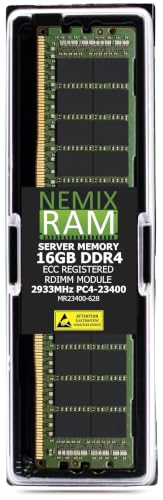
- EXACT-MATCH UPGRADE — 16GB DDR4-2933 (PC4-23400), 2Rx8 Registered ECC, 1.2V, CL21, 288-pin. The precise rank, voltage, and timing your system's memory controller expects, so it is recognized at full capacity and runs at its rated speed.
- VERIFIED FITMENT — Compatible with the Cisco UCS B480 M5 Blade Server. The 288-pin Registered (RDIMM) form factor this server requires — not a UDIMM, LRDIMM or SODIMM. Spec-matched to the server's memory-population rules.
- ENTERPRISE STABILITY — Registered (buffered) architecture offloads the memory controller so every slot runs fully populated at full capacity, while ECC catches and corrects single-bit errors on the fly — stopping silent data corruption and unplanned reboots before they reach production.
- CHECK YOUR CONFIG — Server and motherboard memory support varies by model and processor. Consult your system manual for supported capacities, approved DIMM population order, and installation steps before purchase.
- LIFETIME SUPPORT — Backed by a lifetime replacement warranty and free US-based technical support. Researched, matched, and compatibility-tested by NEMIX RAM, a US-based server memory specialist since 1993, and backed by a lifetime warranty.
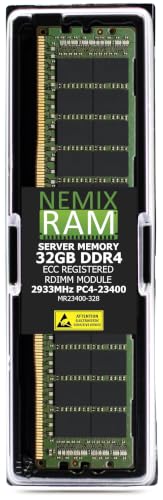
- EXACT-MATCH UPGRADE — 32GB DDR4-2933 (PC4-23400), 2Rx8 Registered ECC, 1.2V, CL21, 288-pin. The precise rank, voltage, and timing your system's memory controller expects, so it is recognized at full capacity and runs at its rated speed.
- VERIFIED FITMENT — Compatible with the Cisco UCS B480 M5 Blade Server. The 288-pin Registered (RDIMM) form factor this server requires — not a UDIMM, LRDIMM or SODIMM. Spec-matched to the server's memory-population rules.
- ENTERPRISE STABILITY — Registered (buffered) architecture offloads the memory controller so every slot runs fully populated at full capacity, while ECC catches and corrects single-bit errors on the fly — stopping silent data corruption and unplanned reboots before they reach production.
- CHECK YOUR CONFIG — Server and motherboard memory support varies by model and processor. Consult your system manual for supported capacities, approved DIMM population order, and installation steps before purchase.
- LIFETIME SUPPORT — Backed by a lifetime replacement warranty and free US-based technical support. Researched, matched, and compatibility-tested by NEMIX RAM, a US-based server memory specialist since 1993, and backed by a lifetime warranty.
You may also want to learn about the best desktop for virtualization.
Share your input on Blades vs Rack Mounted Servers For VSphere!
VMinstall.com is a participant in the Amazon Services LLC Associates Program, an affiliate advertising program designed to provide a means for sites to earn advertising fees by advertising and linking to Amazon.com, Amazon.co.uk, Amazon.ca, and other Amazon stores worldwide. *Best Sellers last updated on 2026-10-24 at 03:08.


Nice One